
What is Cline?
Over the past few months, SAP engineers and the community have shown clean, documented ways to use Cline with SAP stacks, especially CAP (Cloud Application Programming) on BTP and SAP AI Core.
Think of Cline as a very careful pair-programmer that can:
- Read your codebase, propose a plan, and show each step
- Make changes only after you approve them
- Run commands/tests, read the output, and try again
Where does Cline meet SAP?
Instead of spending hours writing code to build new Fiori apps or similar service desk work, Cline can do the heavy lifting so you:
- Ship small changes faster
- Make fewer copy-paste mistakes
- Get neat, documented outcomes (tests, READMEs, scripts)
Cline's VS Code extension, paired with SAP AI Core, plugs enterprise-grade models into a governed environment and brings practical wins.
If you're a Technical Consultant, how does this help you?
Cline can shoulder the boring parts of SAP dev - scaffolding CAP projects, setting up OData services, fiddling with Fiori boilerplate, and writing tests - while you focus on logic and business rules.
Quick Context
Ask Cline to explain what a file or setting does, then watch it make a small, reversible change.
Reduce "Blank Page" Anxiety
Tell it the goal ("create a simple service to list materials") and it scaffolds the boring parts.
Fewer Handoffs
Tackle minor changes directly with guided edits and checks, cutting down on back-and-forth.
We decided to build something with Cline
We tested Cline along with Fiori MCP by SAP to build a quick CAP project. Here's what happened:
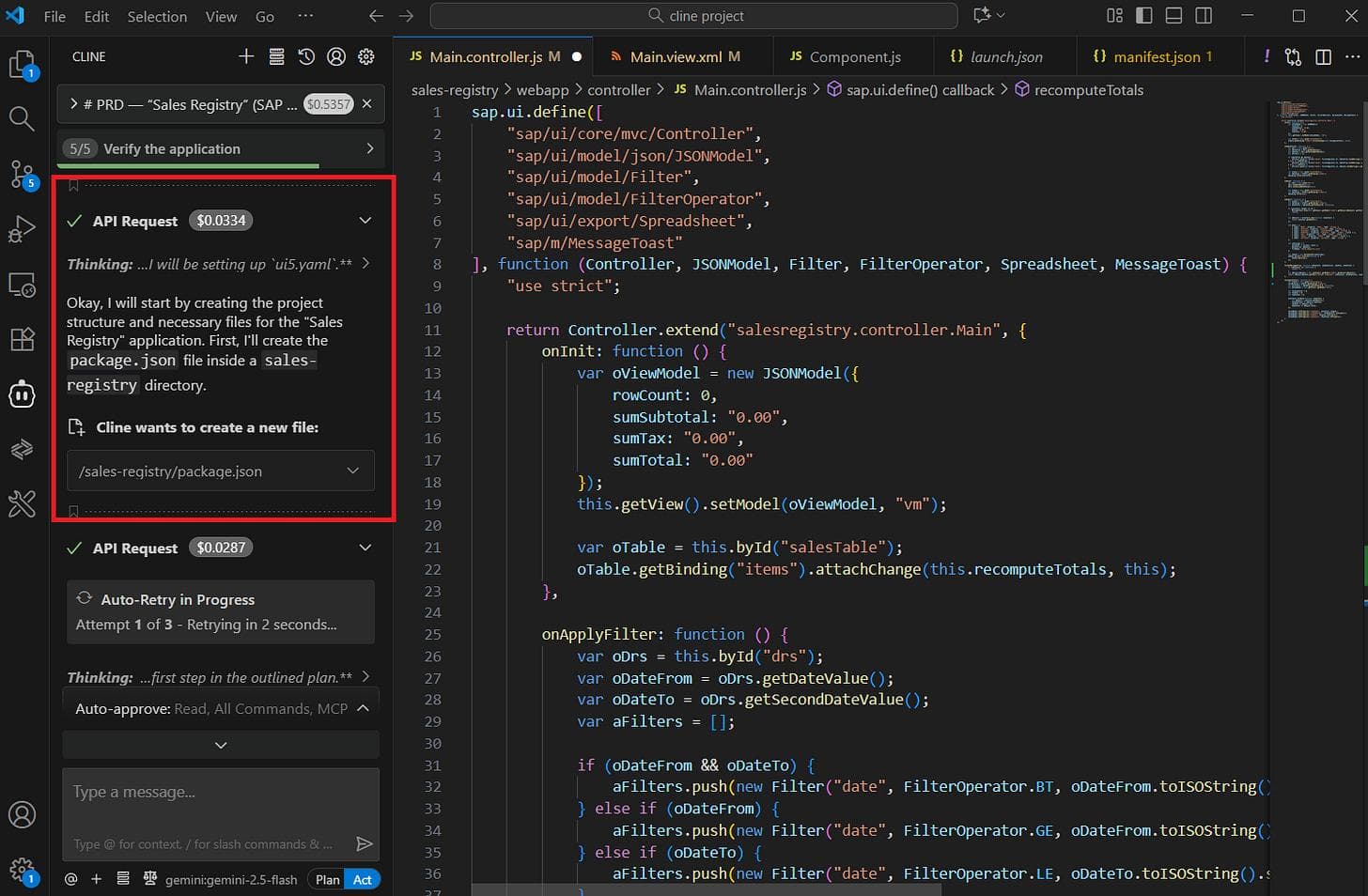
Cline inspects the workspace and proposes a plan
Cline scanned the project, surfaced the package.json scripts it intends to use, and listed the plan in the editor sidebar. This is the moment it converts intent → actionable steps: files to change, commands to run, and safety checks to ask you before any stateful change.
Cline scaffolds the app (what it actually added)
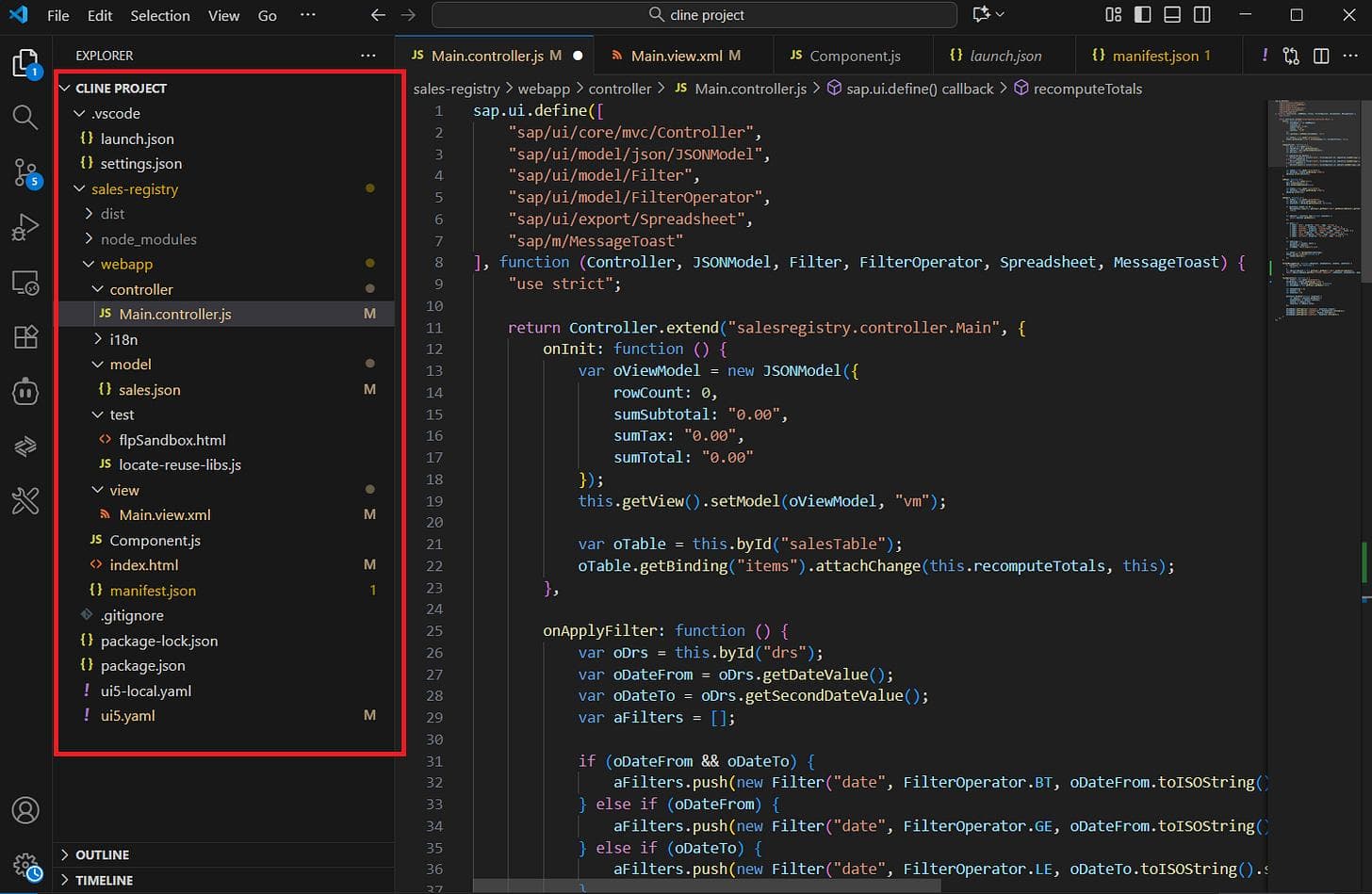
Cline created the app skeleton and most of the plumbing you expect for a one-page sales registry. This was mostly auto-generated, but it needed a few nudges - small path fixes in imports and a tiny mock dataset so the UI can render without a live backend.
Oops - the sandbox didn't fully run
We tried to open the app in the sandbox and got real tooling errors - the launch tile failed with a popup "Could not open app. Please try again later" and the VS Code Problems pane showed a manifest/schema failure.
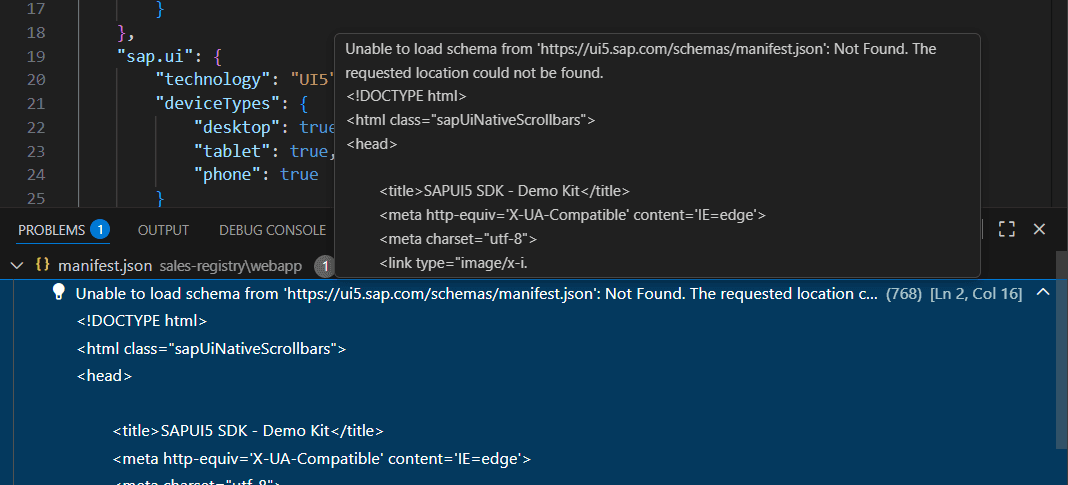
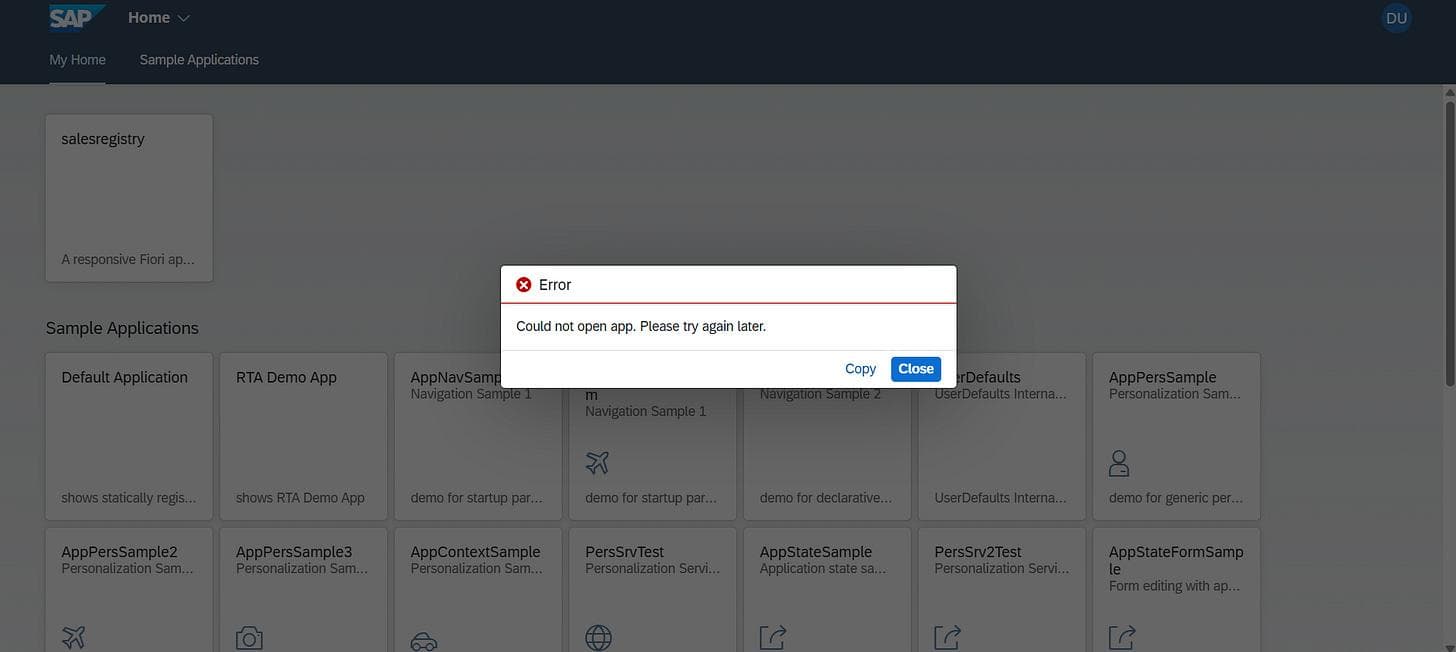
Cline created the right-looking files and wiring but assumed a few environment/tooling pieces (schema endpoint, devDeps, exact start path, backend registration) that didn't exist in this prototype workspace.
“We tested it so you don't have to learn the hard way: Cline gets you most of the way there, then you do the careful last mile.”
The Takeaway
While Cline can do a huge chunk of the work for you - scaffolding controllers, views, manifests and even mock data -it still needs the right context and a human to finish the job.
In our run it generated most of the app automatically, but it guessed a few things that the workspace didn't actually have, so the preview failed and we hit clear, fixable tooling errors.
For a technical consultant, Cline means real upside through faster scaffolding, clearer diffs, and fewer tedious hand-edits, but not a magic one-click rollout. You'll still need to supply environment context, validate the scaffolds, set up the backend, and keep governance in the loop.
Next time: We'll dig deeper on the errors we faced and how to tackle them to optimize your workflow. Hint: the fix isn't a bigger model, it's better context. We'll talk about MCPs and how to feed the AI the right project map.