

Copilots Suddenly Feel Like They’re Everywhere
Most knowledge workers have already met an AI copilot without calling it that. It’s the assistant who:
- Rewrites a long email into three bullet points
- Turns meeting notes into an action list
- Suggests a formula when you’re stuck in Excel
- Fills out fields in your CRM based on past activity
The pattern is the same everywhere. You stay in the tool you already use, describe what you want in natural language and the copilot proposes a first draft. You still review and approve.
If you live in SAP, Dynamics, Oracle, Workday or Infor all day, copilots are not just a nice productivity feature. They’re a new interface layer on top of the systems you already have implemented.
Typical Business Use Cases
For most companies, ERP copilots show their value first for business users. They sit inside the tools that finance, procurement, supply chain, HR, sales and service teams already use — and try to remove the grunt work.
Finance
Accounts receivable agents who analyze overdue receivables, suggest collection actions, draft emails and assist with variance analysis and period-close checklists.
Procurement and Payables
Invoice ingestion from email and portals, automated matching, duplicate detection, dispute resolution workflows and payment optimization (early pay, virtual cards, financing options).
Supply Chain and Operations
Exception handling for late deliveries or stock issues; what-if planning; and automated suggestions to replan, reroute, or adjust orders directly from ERP data.
HR and People Processes
Assistants that answer policy questions, summarize feedback, help with job descriptions and requisitions, or propose succession and workforce plans based on live HCM data.
Customer-Facing Work
Summarizing CRM history, drafting responses, proposing next best actions in sales and service flows that sit on top of ERP and surrounding systems.
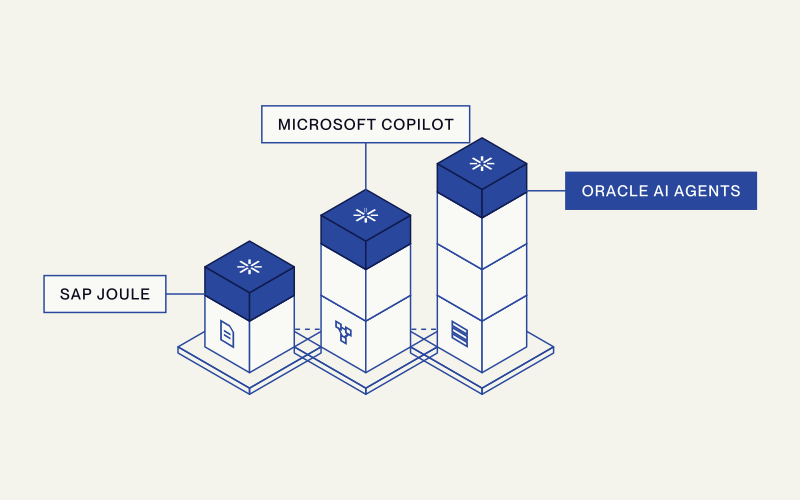
SAP Joule
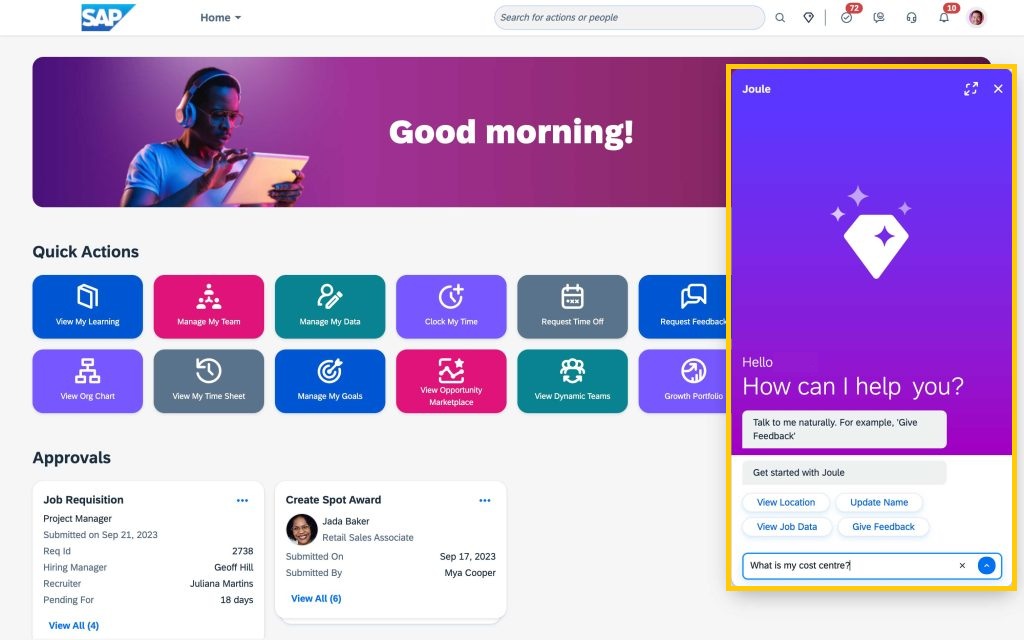
SAP Joule is SAP’s generative AI copilot, embedded across its cloud portfolio, including S/4HANA Cloud, SuccessFactors, Ariba and SAP Business Network. SAP is targeting more than 400 embedded AI use cases across its applications, many of which are fronted by Joule.
Where You Use It
- SAP S/4HANA Cloud Public Edition and other SAP cloud apps
- Finance, procurement, supply chain, HR, CX and analytics scenarios
- Through the Joule action bar that follows you across SAP and some third-party cloud apps
What It Actually Does
Community and product docs describe four interaction types for Joule in ERP contexts:
Create documents like purchase orders or journal entries, or trigger workflows
Open the right app or tile when you describe the task instead of memorizing transaction codes
Answer questions on KPIs, variances or trends by querying underlying SAP data
Draft text, such as explanations in dispute correspondence or summarizing financial reports
Strengths
- Deep awareness of SAP data structures and processes
- Large and fast-growing catalog of embedded AI scenarios
- Planned integration with Microsoft 365 Copilot
Watch Outs
- SAP does not disclose which exact model and version is used in which skill
- Models tend to sit in a competitive but not leading tier compared to the very best open models
- Can return biased, incorrect or stale answers without proper grounding and review
Microsoft Copilot for Finance and Dynamics 365
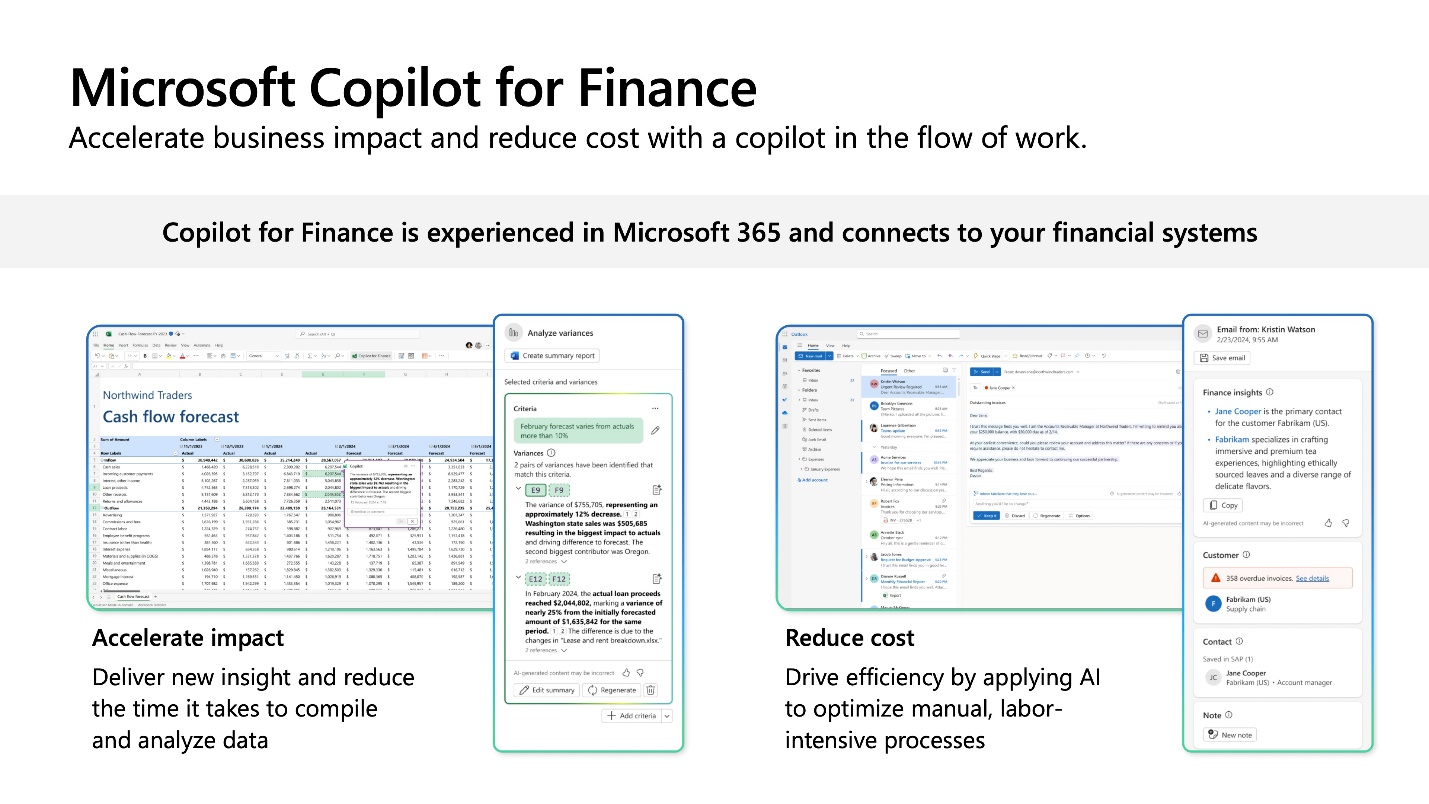
Microsoft has taken a slightly different route. Instead of only embedding AI inside Dynamics 365, it brings ERP-connected finance workflows into the tools finance teams already live in, such as Excel, Outlook and Teams.
Where You Use It
- The Finance solution in Microsoft 365 Copilot (previously called Microsoft Copilot for Finance)
- Dynamics 365 Finance and Supply Chain Management, Business Central
- Connected ERPs beyond Microsoft, including SAP and Oracle, via data connections
What It Actually Does
- Variance analysis and anomaly detection on live ERP data directly in Excel
- Collections workflows that draft emails, summarize customer history and suggest payment plans
- Audit support where Copilot pulls required documentation and reconciles datasets from the ERP
Strengths
- Users stay in familiar tools, particularly Excel, which reduces training friction
- Strong story when you already run both Microsoft 365 and Dynamics 365
- Connectors to SAP and Oracle provide a bridge, even if Dynamics is not your primary ERP
Watch Outs
- Microsoft explicitly warns that some Copilot features in Excel are not suitable for tasks requiring high accuracy
- User forums show many people finding Copilot underwhelming or not worth the price
- Most Copilot projects are stuck in pilots with unclear ROI
Oracle AI Agents for Fusion Cloud ERP
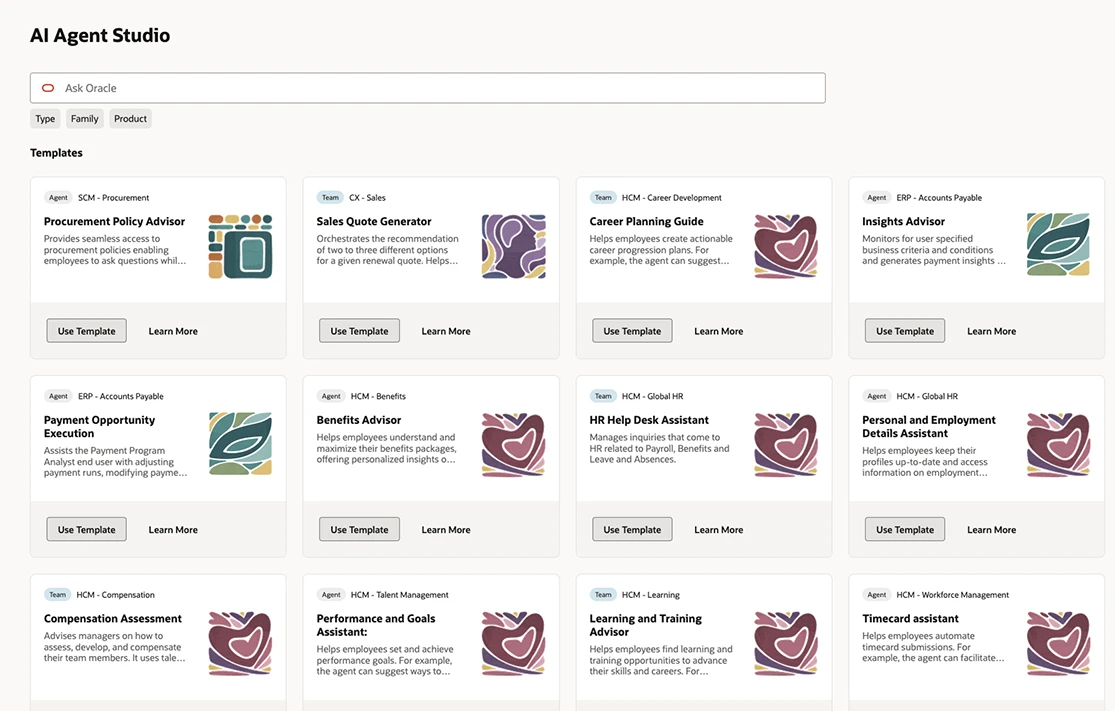
Oracle has leaned into “AI agents” as the framing for its Copilot capabilities in Fusion Applications. In practice, these agents behave like role-based copilots inside Fusion Cloud ERP, HCM, SCM and CX: they sit in the transaction flow, see contextual data and guide or automate the next steps.
Oracle describes more than 50 specialized agents already embedded in Fusion, with more coming through an AI Agent Marketplace.
Where You Use It
- Inside Oracle Fusion Cloud Applications for finance, supply chain, HR, sales and service
- Through Oracle AI Agent Studio for configuring and deploying agents across Fusion workflows
What It Actually Does
- Guide finance teams through period close, variance investigation and reconciliations
- Automate document intake and matching for invoices and payables
- Assist supply chain teams with exception handling, planning adjustments and partner communication
Strengths
- Deeply embedded inside Fusion workflows, not just sitting as a chat box on top
- Agent Studio and Marketplace give partners a place to ship industry-specific agents
- Open on model choice — integrating models from OpenAI, Anthropic, Cohere, Google Gemini
Watch Outs
- Real users report practical limits — custom agents failing at ~70,000 tokens
- Partner blogs list long sets of hurdles: data quality, privacy, bias, integration complexity
- Governance and monitoring for dozens of agents can become a program in itself
How to Decide Which Copilot Is Worth Your Time
If you’re a CIO, head of finance or SAP/ERP consultant, the question is not only “Which copilot fits our landscape?” but also “Does this copilot actually beat what we could do with a general model like ChatGPT Enterprise, Gemini or Claude wired safely to our own data?”
Warning: Research shows that AI tools are flooding workplaces with “workslop” — polished-looking but low-quality output that forces colleagues to spend almost two extra hours cleaning up each instance. This is one of the main reasons many AI investments fail to show ROI.
A Practical Decision Flow
1. Start From Your System of Record
- If your core ERP is SAP S/4HANA Cloud, start with Joule for embedded scenarios
- If you’re all-in on Microsoft Dynamics 365, the Finance solution in Microsoft 365 Copilot is the natural entry point
- If you’re a Fusion customer, Oracle’s AI agents are the default choice
2. Map Copilots to Concrete Workflows
Look for scenarios like period close, collections, purchasing, inventory exceptions or HR requests where the copilot can measurably save time or reduce errors. Don’t deploy “AI in general.”
3. Check Data Access and Security First
Copilots are only as good as the data and permissions they see. If your roles, org structures and data quality are weak, you’ll get confusing or unsafe suggestions.
Why Are These Copilots Worth Experimenting With Anyway?
Even with all the caveats, there are good reasons to pilot these tools now rather than wait until everything is perfect:
- They normalize natural language interaction with ERP. Staff get used to asking “Show me vendors with overdue invoices over 60 days for region X” instead of building ad hoc reports from scratch.
- They make cross-system work less painful — Microsoft’s Copilot finance solution and SAP’s Joule action bar are early examples of AI that move with the user between applications.
The Takeaway
Across SAP, Microsoft, Oracle, Workday and others, the pattern is consistent: copilots are good at handling the repetitive, navigation-heavy and explanation-heavy parts of ERP work, while leaving judgment, approval and final decisions with humans.
That is a useful division of labor. You do not need to bet your entire ERP program on one copilot from day one.
You only need one or two well-chosen workflows, a clear success metric and the willingness to let these tools sit next to your existing processes and prove their value. Until you have clear, local evaluation data, the safest assumption is that any new copilot is more likely to produce AI slop than durable productivity gains.